
Core Utilities
24 Tools to Level, Measure, Convert, Calculate, & Network. No 3rd-party ads.

Screenshots
About this app
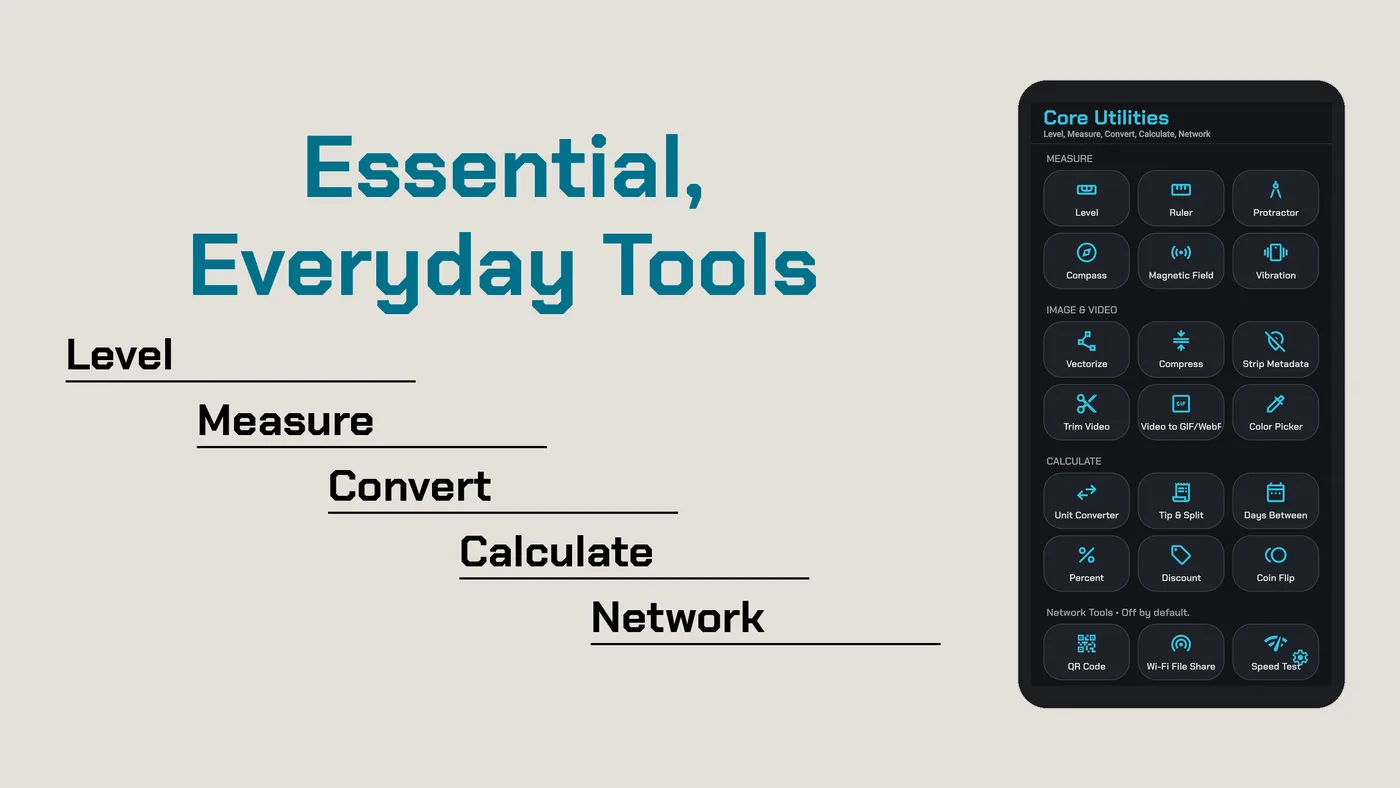
Everyday tools on one screen, working on your device. Every tool works offline except the network tools, which stay off until you turn them on in Settings.
Measure
- Level: bubble level with X and Y angles.
- Ruler: on-screen ruler you calibrate with a standard card.
- Protractor with Inclinometer
- Compass, with true north from a declination you set
- Magnetic Field and Vibration meters, with peak readings
Image & Video
- Vectorize: turn a picture into a crisp SVG drawing, with PNG export up to 4x.
- Compress & Resize: save photos as JPEG, PNG, WebP, or HEIC (where your device supports it), at the quality and size you pick.
- Video to GIF/WebP: make small animated GIFs or WebPs from a video, or convert a GIF to WebP, with frame-rate options for WebP.
- Trim Video: cut a clip and keep its size or save it at 1080p, 720p, or 480p.
- Strip Metadata: remove Exif, XMP, and other hidden details from photos before you share them.
- Color Picker: tap a picture to get HEX, RGB, and HSL values.
Each result is saved as a new file. Your originals are never changed.
Calculate
- Unit Converter: length, weight, volume, area, speed, temperature, data, and time
- Percent: % of, what %, and % change
- Discount, with savings and tax
- Tip & Split
- Days Between
- Coin Flip
Share & Network
- FTP / SFTP File Transfer: share a folder from your device with a computer on the same Wi-Fi™, or connect to your own SFTP or FTP server to upload and download files. Encrypted SFTP is the default, and saved connections stay encrypted on your device.
- Network Speed Test: download, upload, ping, and jitter with the open NDT7 test, run only when you tap Start test. The test uses Measurement Lab (M-Lab) servers, which see your IP address and publish results as open internet research data.
- QR Generator: make QR Code™ symbols for text, links, and Wi-Fi™ networks, styled with dot shapes, gradients, and a center logo, with a built-in scan check. It also reads a QR code from a picture.
Sound & Light
- Sound Meter, Light Meter, and Barometer
- Tablet Support: runs on Android devices.
No third‑party ads. No account. No AI inside.
Wi-Fi is a trademark of its respective owner. Core is not affiliated with it.
QR Code is a registered trademark of DENSO WAVE INCORPORATED. Core Utilities is not affiliated with DENSO WAVE.